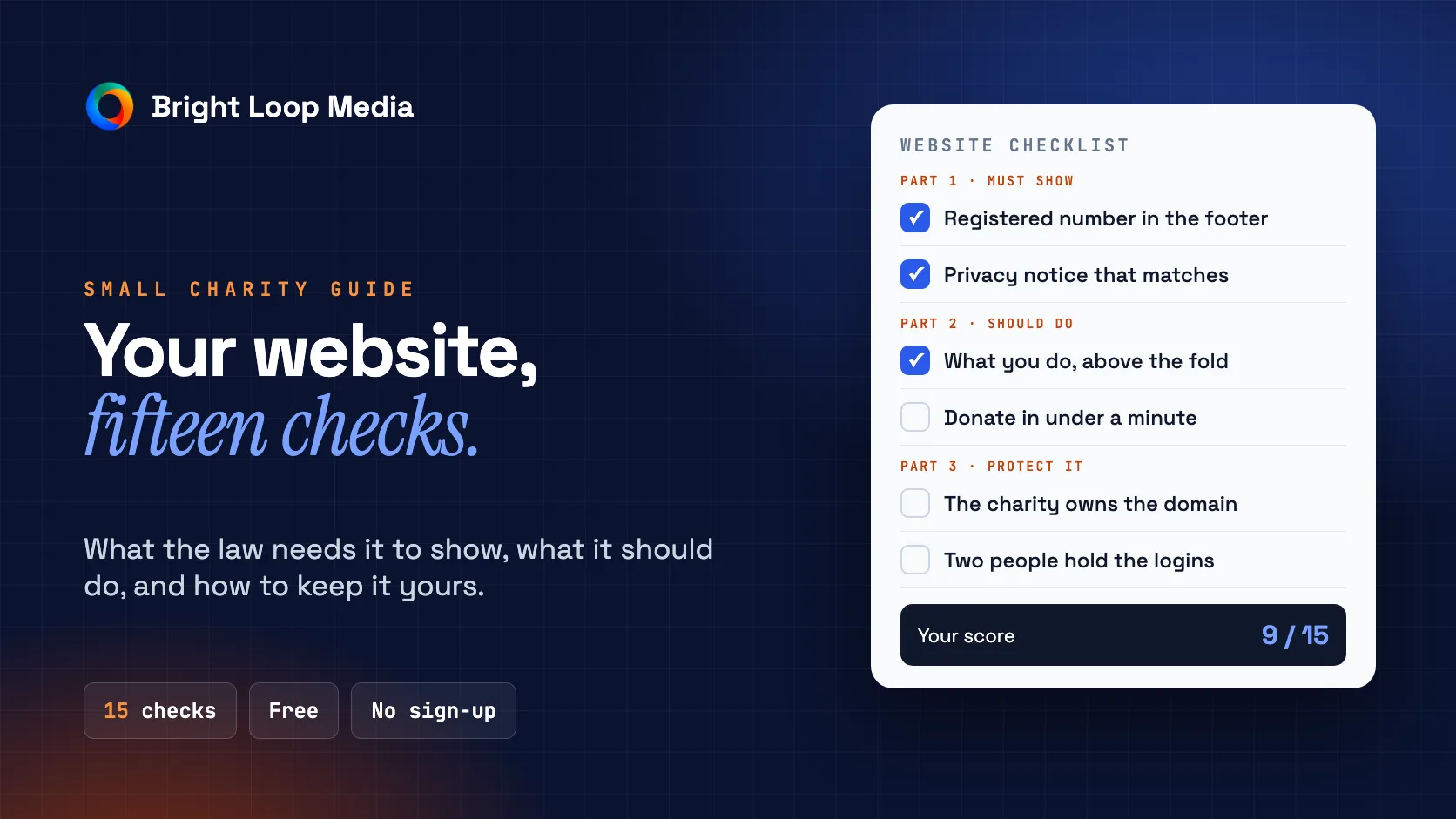
Most small charities don't need a big website. They need one that tells people what you do, makes it easy to help or get help, and doesn't quietly break the law or lock you out of your own domain.
This is the checklist we use when a charity, CIC or community group asks us to look at their site. It's free, there's no sign-up, and you can work through it in about half an hour. Tick what you can. Anything you can't tick is your to-do list, whether or not you ever hire anyone.
Part 1: What your site must show
1. Your legal details, if you're a company.
If your organisation is a company (a charitable company limited by guarantee, a CIC, or any other limited company), GOV.UK is clear: on websites you must show your registered number, your registered office address, and where you're registered (England and Wales, Scotland or Northern Ireland). The footer is the usual place.
2. That you're a registered charity, if you're over £10,000 a year.
Under section 39 of the Charities Act 2011, a registered charity with gross income over £10,000 in its last financial year has to state that it's a registered charity on documents that ask for money. Your donate page asks for money, so the safe reading is to treat it as one of those documents. Put "Registered charity number" and the number in your footer and it's covered everywhere.
3. A privacy notice that matches what you actually collect.
If your site has a contact form, a newsletter sign-up or a donation form, you're collecting personal data. Your privacy notice should say what you collect, why, how long you keep it and who you share it with. A copied template that mentions things you don't do is worse than a short honest one.
4. Cookie consent, if you use anything beyond the essentials.
Analytics, embedded videos and social media widgets often set cookies that need consent before they load. If your site shows no banner but loads Google Analytics or a Facebook pixel, that's the thing to fix. If you only use essential cookies, or cookieless analytics, you may not need a banner at all.
Part 2: What your site should do
5. Say what you do in one sentence, above the fold.
Open your homepage on your phone. Without scrolling, can a stranger tell who you help, where and how? If the first thing they see is a slideshow or "Welcome to our website", rewrite it.
6. Give each audience its own obvious path.
Most charity sites serve three groups: people who need help, people who want to give or volunteer, and partners or funders. Each group should find its route from the homepage in one tap.
7. Make "get help" the easiest thing on the page.
If you support people in difficult situations, the route to help should be the most visible thing on the site, with a phone number that can be tapped on mobile and clear opening hours.
8. Make donating take under a minute.
Count the taps from your homepage to a completed donation. If it's more than a few, or it sends people to a page that looks nothing like yours, you're losing gifts. If you claim Gift Aid online, make sure the declaration wording follows HMRC's guidance.
9. Show that you're real.
Funders and donors check. Show your impact in plain numbers you can back up, a named person or two, real photos, and your latest news. A site whose last update was two years ago tells people you might have closed.
10. Work properly on a phone.
Most of your visitors are on mobile. Check that text is readable without zooming, buttons are big enough to tap, and forms work.
11. Be usable by everyone.
Unplug your mouse and try to use the site with the keyboard alone. Check text contrast. Make sure images have useful alt text. Our accessibility guide walks through a simple audit.
Part 3: Protect the organisation
12. Make sure the charity owns its domain.
This is the one that catches the most groups out. The domain name is often registered in the name of a volunteer or a former trustee, on their personal card. When they leave, renewal lapses or the account can't be reached. Check who the registrant is, and move it to an organisational account if it isn't yours.
13. Keep logins with at least two people.
Your domain, hosting, website editor and email should each be accessible to at least two trustees or staff, stored somewhere shared and secure. One person holding every password is a single point of failure.
14. Get photo consent in writing.
If your site shows people you support, especially children or vulnerable adults, keep written consent for each image and a way to remove it quickly if consent is withdrawn.
15. Know what it really costs each year.
Add up the domain, hosting, any paid plugins or themes, your website builder subscription and the time someone spends updating it. The cheapest option on day one is not always the cheapest over three years. We've set out what websites actually cost in the UK and the three-year maths of template against custom.
Before you pay anyone
If your checklist has more gaps than ticks and you're thinking of getting help, ask any designer or agency:
- Will the charity own the domain, the site and all the content outright?
- What will it cost each year after launch, in total?
- Can our volunteers update it without calling you?
- Have you built for charities or community groups before, and can we speak to one?
Our guide to choosing a web designer goes further on what to check before you sign.
Frequently asked questions
Does a small charity legally need a website?
No. There's no legal requirement to have one. But if you do have one, the disclosure rules in Part 1 apply to it.
We're a CIC, not a charity. Does this apply to us?
Parts 2 and 3 apply to any community organisation. In Part 1, item 1 applies to you because a CIC is a company. Item 2 only applies to registered charities.
Is a free website builder good enough for a small charity?
Often, yes, for a small group with simple needs. Check items 12, 13 and 15 especially carefully, because free and cheap builders are where ownership and lock-in problems usually start.
Want a second pair of eyes? Our free 12-point website check covers speed, mobile, trust and visibility. Bright Loop Media is a web studio on the Wirral that builds for charities, CICs and small businesses.