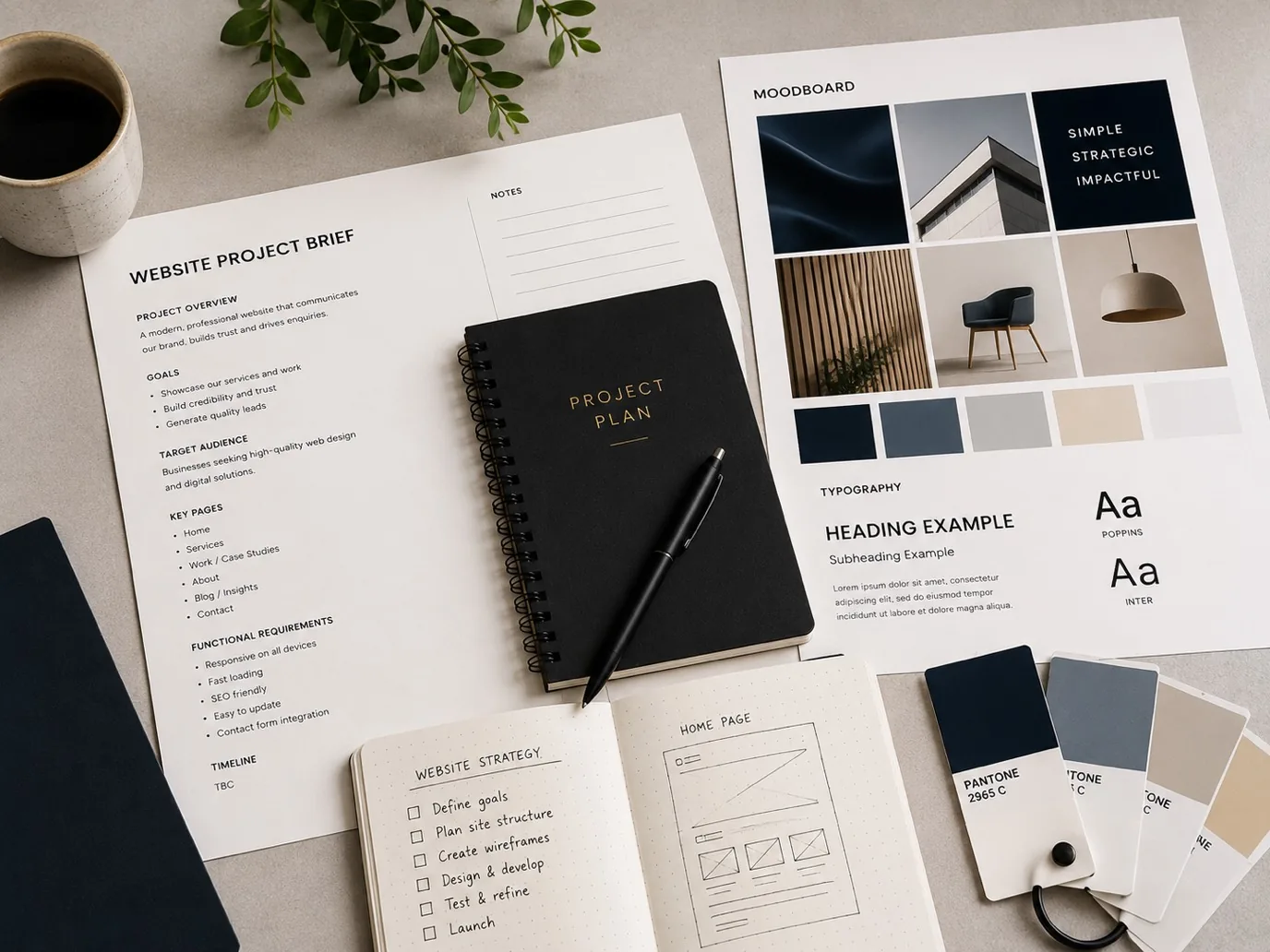
Starting a website project without a clear plan is like building a house without blueprints. The more you prepare beforehand, the smoother the process, the faster delivery, and the better the final result. Whether you're building your first site or redesigning an existing one, knowing what to have ready before day one saves time, avoids costly revisions, and keeps your project on track.
Why Preparation Matters
A website project isn't just technical work. It's a collaboration between you and your development team. When you come prepared with the right information, decisions, and assets, the build phase moves quickly and your team can focus on delivering a site that truly works for your business. Unprepared briefs often lead to scope creep, delays, and a product that doesn't quite meet expectations. By contrast, prepared businesses get faster turnarounds and better outcomes.
Define Your Business Goals and Target Audience
Before any design or code is written, your team needs to understand what you want the website to achieve. Are you driving sales, generating leads, building authority in your industry, or simply providing information? These aren't small differences, they shape every decision from layout to copywriting.
Equally important is knowing who you're building for. A website for accountants looks and reads completely differently to one for a spa, a consultancy, or a manufacturing business. If you're local to the Wirral or North West, consider who your customers are within that region. Are they searching for local services, or do you serve customers nationwide? This clarity helps your team make smarter design and functionality choices.
Write down your three to five main goals. Be specific. "Increase sales" is vague. "Capture email addresses from local service enquiries" is actionable.
Gather Your Content and Copy
A website without words is just pictures. You'll need copy for every major section: homepage headline, service descriptions, about your business, testimonials, and calls to action. You don't need polished, final copy, but having rough drafts or bullet points ready saves your team from guessing what your business does.
Collect any existing content you want to keep: existing website copy, brochures, product descriptions, customer reviews. If you have customer testimonials or case studies, gather those too. High-quality testimonials are gold for building trust with site visitors.
If you're short on copy, your team can help draft it based on a conversation about your business, but it's faster if you've already done some thinking. Ideally, aim to have at least 60 to 70 percent of your copy ready before the project kicks off.
Organise Your Visual Assets
Images matter. They set tone, build credibility, and make your site visually appealing. Before you start, gather any existing photos or graphics you want to use: product shots, team photos, office images, or brand logos. If you don't have quality images, let your team know early so they can advise on stock photography or commissioning new shots.
Also provide any existing brand guidelines you have, or at least describe your brand. What colours do you typically use? What's your tone of voice, formal or friendly? Do you have a logo that needs to be incorporated? This context helps your team create a cohesive, on-brand result rather than guessing at your aesthetic.
List Your Key Pages and Features
Think about what your customers actually need from your site. Most businesses need: a homepage, an about page, services or products, a contact page, and possibly a blog or resource section. Some need e-commerce, booking functionality, or client portals. Map out the core pages and features you definitely need before launch.
This doesn't have to be a formal document. A simple list or rough sitemap showing which pages exist and how they connect helps your team understand the scope. It also helps them estimate timescales and flag any technical requirements early. If you're unsure what you need, your team can advise, but having done some thinking yourself accelerates the conversation.
Prepare Practical Information
Your team will need some practical details to build and launch your site. Decide whether you're moving from an old site or starting fresh. If moving, have you got a list of URLs that need to redirect to new pages? Do you have any existing customer data or email lists that need preserving?
Confirm your domain name and whether you already own it. If not, your team can help you register one. Decide who will manage the site after launch and whether you need training on using it. Do you want your team to handle ongoing updates and maintenance, or will you manage it in-house?
If you're based in the Wirral or have a local customer base, think about whether local search visibility matters to you. This influences technical setup and content strategy, so flagging it early helps your team plan accordingly.
Make Decisions About Functionality
Do you need customers to book appointments online? Do you want a newsletter signup form? Do you need e-commerce or payment processing? Do you want a client login area? These features take time to build and integrate, so identifying them before you start prevents scope creep and delays.
Write a simple list of "must-haves" versus "nice-to-haves". Must-haves get built in the first phase. Nice-to-haves can be added later. This focus keeps projects on track and prevents the feature-creep trap that derails timelines.
Understand the Timeline and Budget Realities
Have an honest conversation with your team about what realistic timelines and investment look like for your needs. A complex, feature-rich site takes longer and costs more than a simple brochure site. A bespoke, high-performance site costs more than a template. Understanding these trade-offs before you start means no surprises later.
Ask your team what timeline is realistic for the scope you've defined. Ask what happens if you want something added mid-project. Many teams can accommodate changes, but they impact delivery dates. Knowing this upfront helps you plan your business launch or refresh.
Frequently Asked Questions
How much content do I really need before starting? You don't need perfect, polished copy, but having 50 to 70 percent ready helps your team work faster. Rough drafts, bullet points, and key messages are enough to get started. Your team can refine and improve as the project progresses.
What if I don't have professional photos? Let your team know early. Many teams can source good-quality stock photography that matches your brand, or advise on budget-friendly ways to get new photos taken. Flagging this upfront means it gets budgeted and planned.
Should I build everything at once or launch in phases? Both approaches work. A phased launch gets you live faster with core features, then you add more functionality later. A full build takes longer but delivers everything at once. Discuss this with your team based on your goals and timeline.
What if I'm not sure what features I need? Your team can advise. Bring your business challenges and goals, and they can suggest features that typically solve those problems. It's a collaborative conversation, not something you need to figure out alone.
Do I need to write the website copy myself? No. Your team can help draft it or improve what you provide. But having some rough copy or at least clear notes about what you want to communicate saves time and ensures the final copy matches your voice and message.
Starting a website project prepared doesn't mean having everything perfect. It means having thought through the fundamentals, gathered the key assets and information, and communicated your goals clearly. This foundation helps your team deliver faster, keeps the project focused, and gets you a site that genuinely works for your business. Ready to start? Get in touch with our team and let's plan your project together.