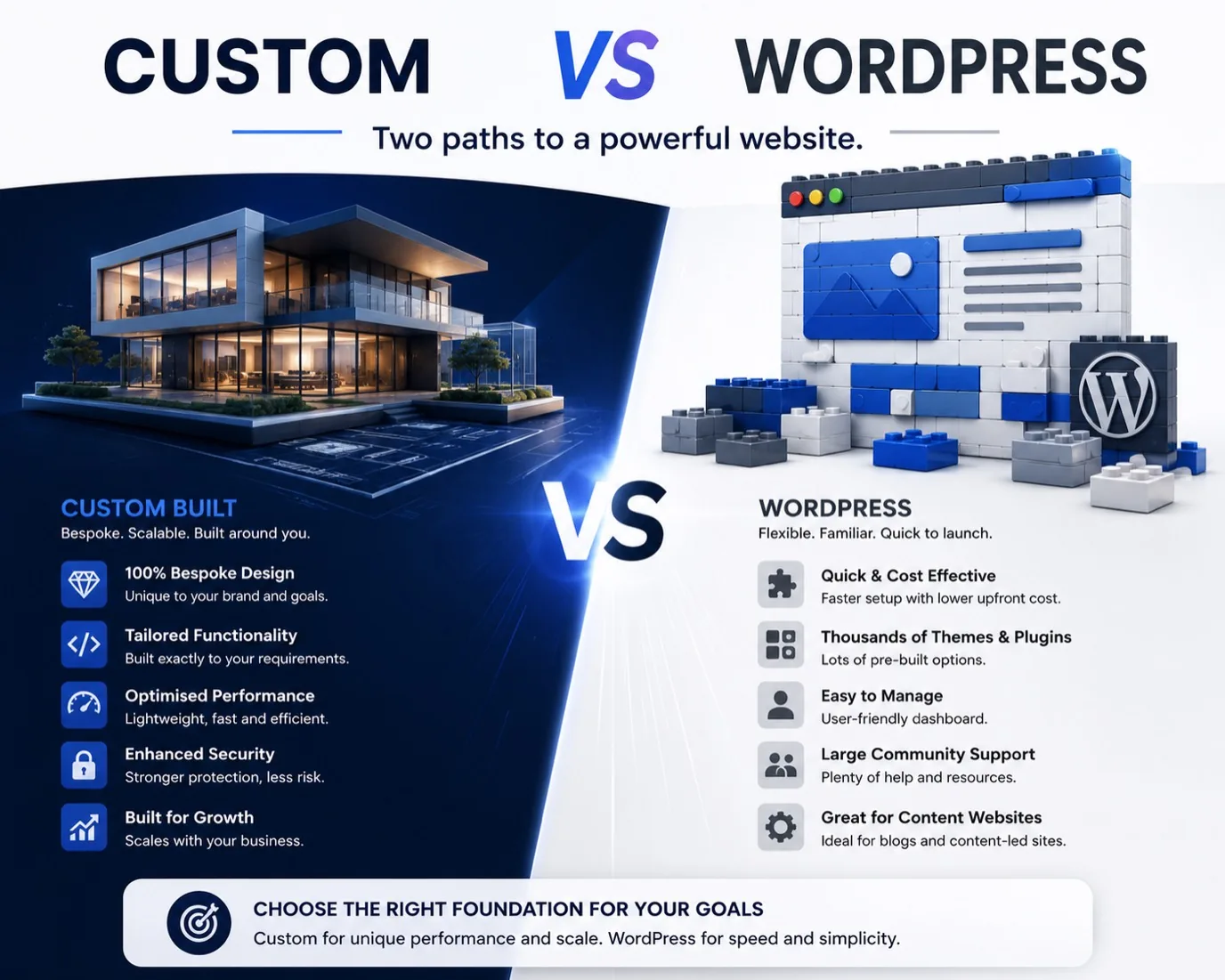
When you are planning a new website you eventually face the same fork: build something custom, or use WordPress or a template platform. Both camps have loud advocates and both are selling something.
The right question is not which is better in the abstract. It is which one earns you more money over three years, given your specific business. We build custom websites for a living, so we have skin in this game. We have also rescued enough WordPress and Squarespace builds for clients who outgrew them to know the failure modes intimately. Here are the actual numbers, the trade-offs nobody quantifies, and the small set of cases where we will tell you to stay on a template.
What WordPress Actually Is
WordPress started as a blogging platform and grew into a general website builder that can do almost anything, given enough plugins and customisation.
The core idea is powerful. You install software on your host, it gives you a dashboard where you write pages and posts, manage content, install plugins to add features and apply themes to change how it looks. Non-technical people can use it, which is why it powers more websites than anything else.
The simplicity is real. If you want a brochure website with a homepage, an about page, a services page and a contact form, WordPress gets you there faster than custom code.
The Catches With WordPress
Simplicity comes with costs, and they are usually invisible until you hit them.
Plugins are the problem. WordPress features are added via plugins. Contact form? Plugin. Newsletter? Plugin. Spam protection? Plugin. Better SEO? Plugin. Each plugin adds code that runs on every page load whether you need it or not, and each one widens the surface area for bugs and security holes. Many small business sites carry ten to twenty active plugins. Some carry fifty.
Updates break things. Core updates, theme updates, plugin updates. Usually fine. Sometimes not. If you have customised a plugin or a theme, or two plugins update in incompatible ways, you can find out on a Monday morning that your site is down.
Hosting matters more than people expect. Budget shared hosting means slow pages, thin support and weak security. Good WordPress hosting costs more, and you are still responsible for maintaining the installation.
Deep customisation escapes the model. WordPress is flexible within its ecosystem. The moment you want something the plugin model does not cover, you are writing custom code anyway, and now you maintain that code alongside WordPress's own complexity.
Security is your responsibility. Outdated plugins are one of the most common routes into a small business site. Staying on top of that is either your evening or someone's invoice.
Migration is painful. Moving off WordPress later is not a copy and paste. You are in the ecosystem.
The Real Cost Of A Template Site Over Three Years
The headline price of a template site is misleading. People see "£20 a month" and assume £720 over three years. The reality, once you include what a real business actually needs, is several multiples higher.
A typical Squarespace Business plan stack for a UK service business:
- Squarespace Business plan: £20 per month, £720 over three years.
- Domain registration: £15 per year, £45 over three years.
- Premium template (often forgotten): £150 one-off.
- Stock photography so it does not look generic: £200 one-off.
- Email marketing add-on: £15 per month, £540 over three years.
- Booking or scheduling integration: £20 per month, £720 over three years.
- SEO plugin or service: £30 per month, £1,080 over three years.
- Migration when you outgrow the platform: the cost of the build you thought you had already bought. Take £2,000 as a conservative placeholder.
Total over three years: roughly £5,455. Not £720.
The migration line is the one people ignore until they hit it. Template platforms are designed to keep you in. The moment you need something the platform does not support (a custom booking flow, a real lead-capture funnel, a client portal, anything bespoke) you pay to rebuild.
The Real Cost Of A Custom Site Over Three Years
The same business on a Bright Loop custom build.
- Custom build: £3,500 one-off. Our range is £795 for a one-page site, £2,000 to £3,995 for most business websites, and up to £4,995 for premium builds, so £3,500 sits in the middle of the common band.
- Domain registration: £15 per year, £45 over three years.
- Hosting: £15 per month, £540 over three years, and often free for the first stretch on a static host's free tier.
- Email marketing (same as the template stack, included for fairness): £540 over three years.
- Optional monthly support retainer: £180 per month if you want it. Most clients do not.
- Migration after three years: £0. The code is yours, the hosting is yours. You do not migrate. You optionally rebuild when the business has changed, and the existing build is credited into that quote.
Total over three years without a retainer: £4,625. So a custom build with no retainer comes in around £830 cheaper than a fully loaded Squarespace stack over the same period. Add the retainer and it is more expensive, but then you are buying active maintenance and a partner who knows your business, which the platform does not sell at any price.
The "custom is expensive" line holds only when you compare a custom build to a stripped-back template site that is missing the integrations a real business needs. Like for like, the cost is close.
The Performance Gap
Cost is roughly even over three years. Performance is not.
A typical Squarespace site loads in the region of 2.8 to 4.6 seconds on a mobile connection, weighs 4 to 8 MB, and runs dozens of third-party scripts before the page becomes interactive. That is the range we measured across six Squarespace sites we audited for clients.
A Bright Loop custom site, built with React, prerendered to static HTML and served from a global edge network, loads in under 1.2 seconds on the same connection, weighs under 600 KB on the homepage, and runs three first-party scripts.
The difference is not academic. Google's research on mobile page speed found that 53% of mobile visits are abandoned if a page takes longer than three seconds to load. A slow template site is statistically shedding a large share of its mobile traffic before the visitor reads the headline.
The SEO And AI Visibility Gap
Templates struggle here for reasons baked into how they work.
Client-side rendering. Many templates render pages in the browser with JavaScript, so a crawler sees an empty shell first and the content second. Google handles this reasonably well. AI crawlers handle it badly, and AI crawlers are the growth channel.
Bloated HTML. A typical template page ships several times more markup than it needs, because the platform serves the same shell to every visitor. Bigger pages are slower to crawl, and crawl budget on a small site is finite.
Limited schema control. Templates expose a fixed set of schema fields. A basic LocalBusiness block is usually available. Entity linking via @id, a Service node per offering, BlogPosting with author references and a real FAQPage are either impossible or need workarounds. We covered why that matters in our complete guide to GEO.
Checkbox-shaped meta control. Custom URL structures, per-route meta descriptions and granular Open Graph tags often need a paid add-on or are simply not supported.
A custom build gives you full control over server-side rendering, structured data, canonical URLs and everything else that decides whether Google and AI assistants take your content seriously. We bake in schema, llms.txt and prerendered HTML by default.
What Custom Websites Do Differently
A custom website is built specifically for your business. No plugin stack, no theme. Only the features you need, built cleanly.
- It loads faster. There is no bloat, only code that does what you asked for.
- You are not stuck. You own the code. Move it, modify it or rewrite it whenever you want.
- Security is tighter. No plugin vulnerabilities and no third-party dependencies you do not control.
- It scales with you. New functionality is built, not bolted on and hoped for.
- Updates are deliberate. You change the code when you decide to, not when a plugin author does.
The costs are real too. It is more expensive on day one, because building takes longer than configuring. You need a developer for changes rather than dragging blocks in a dashboard. And it takes longer to launch.
The Trust Problem
Customers notice more than you think. A site that looks like every other template in your sector does not inspire confidence. Visitors may not consciously think "this is a template", but they register the sameness. When every accountant, trainer and consultant in town has the same hero image, the same fade-in and the same testimonial slider, none of them stands out.
A custom build signals investment. In competitive markets where trust decides the enquiry, that tilts things your way.
Where Templates Still Make Sense
We will tell you to use a template if any of the following applies, and we have turned down custom work on exactly these grounds.
A personal blog or hobby site. If it is not generating leads or revenue, the case for custom collapses.
A pop-up event or temporary campaign. A site that exists for six weeks is not worth a custom build.
Pre-revenue and unsure of direction. Building a custom site optimised for the wrong audience wastes more than starting on a template and migrating once you know. We would rather quote you a rebuild in six months than the wrong build today.
A budget under £795. Below our one-page starting price, custom is not realistic. A template set up with care beats a half-finished custom site.
When Custom Is The Right Call
- You are building beyond a brochure: bookings, accounts, a portal, database-driven features.
- Your business depends on mobile organic traffic and you want a genuinely fast site.
- You need integrations the platform does not natively support.
- You want to be cited by AI search engines, which needs schema control templates rarely give you.
- You are established, with real customers, and plan to run this site for years.
What You Are Actually Buying
If "custom" sounds vague, here is what a typical Bright Loop project involves.
Brief and scope. 45 minutes on a call. What the business does, who the ideal customer is, what action you want visitors to take, and what is currently broken. No mood boards, no four-week discovery phase.
Quote and acceptance. A fixed price for the agreed scope within 48 hours. No hourly rates.
Design and build. The same person designs and codes. React, Tailwind and modern static infrastructure. Custom from the structural HTML up, not a theme with new colours. Schema, llms.txt, accessibility and performance are in from the first commit.
Review and iteration. One consolidated round of feedback per stage, agreed in the quote so scope does not drift.
Launch. Deploy, set up Google Search Console, submit the sitemap, configure cookieless analytics, hand over the keys.
Warranty. 30 days of free fixes for anything we introduced.
Optional ongoing support. A monthly retainer if you want active maintenance and content updates. Or you take the keys and we are done. Most clients take the keys.
Real Examples From Our Roster
NW Locks (Wallasey, Wirral). A 24 hour locksmith whose enquiries came mostly from paper fliers and word of mouth, on a site that looked dated on mobile. We rebuilt it mobile-first with one-tap call buttons on every page and a coverage map above the fold, and did the Google Business Profile work alongside it. Five days brief to live, and 23 leads in the first 30 days after launch. Read the case study.
Movement Matters Hub (Wirral). A growing community education charity with no central digital home and class scheduling spread across email, paper and word of mouth. The custom build gave schools, parents and funders each a clear path, with forms and the schedule handled in one place. Two weeks brief to live. Read the case study.
Frasers Solutions (Wirral, working UK wide). A heritage stone restoration business running on a single landing page that did not show the breadth of the work. The custom build gave each service its own entry point and project galleries that prove the craft, without losing the heritage brand. One week brief to live. Read the case study.
A Decision Framework
Walk these in order. Stop at the first one that applies.
- Is your budget under £795? Use a template.
- Is the site for a temporary campaign? Use a template.
- Are you pre-revenue and unsure of direction? Use a template until you have clarity.
- Does your business depend on mobile organic traffic? Custom is worth the investment.
- Do you need integrations beyond what the platform natively supports? Custom.
- Do you want to be cited by AI search engines? Custom.
- Are you established, with real customers and growth ambitions? Custom.
The Real Question
The choice is not really WordPress versus custom, or template versus custom. It is ease now against strength later. A platform gets you live faster and you can mostly manage it yourself. Custom takes longer and gives you something more stable, faster and genuinely yours.
That does not mean we never recommend WordPress. We sometimes do. We recommend it deliberately rather than by default, because it is not always the right tool for the job.
Explore our work to see the kinds of sites we build, or book a 45 minute call and we will run the maths on your situation. If custom is not right for you, we will say so.
Frequently Asked Questions
Can you make WordPress fast?
You can optimise it. Caching, image optimisation and removing unnecessary plugins all help. But an optimised WordPress site is usually still slower than a custom build with the same features, because of the architecture. You can get to acceptable. You are fighting the platform to get past it.
What if I want to move off WordPress later?
You can migrate your content to a custom platform or another CMS, but it is not seamless. You will need a developer, custom design work made inside WordPress is lost, and code written to extend WordPress does not transfer.
Do not most websites use WordPress?
By raw numbers, yes. That total includes a great many abandoned and poorly maintained sites. It is popular partly because it is the default recommendation, not because it is the best fit for every situation.
Is a builder like Wix or Squarespace better or worse than WordPress?
A different trade-off. Builders are simpler (no plugins to manage, fewer security issues) but more locked in, and usually more expensive over time. For pure self-service simplicity, builders win. For long-term flexibility, both builders and WordPress lose to custom.
How much more expensive is custom than a template?
More on day one, and typically less over three years once the platform's subscriptions, add-ons and eventual migration are counted. The worked comparison above puts a no-retainer custom build around £830 cheaper over three years than a fully loaded Squarespace stack.
Is WordPress what "real" web designers use?
Some do, some do not. WordPress is a tool. Good designers choose tools by what fits the project, not by loyalty to a platform.