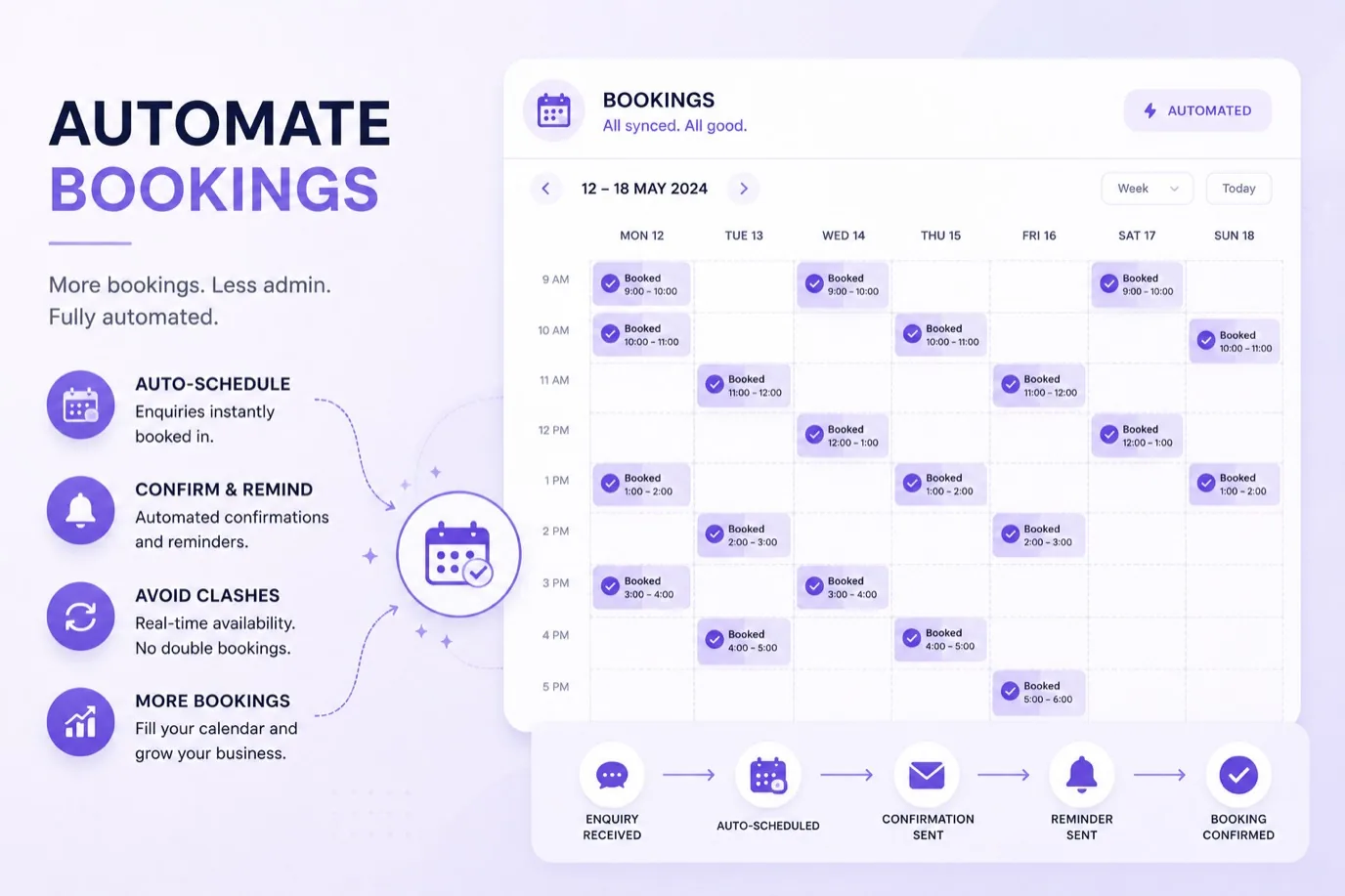
No-shows cost small service businesses real money. A client books an appointment, doesn't show up, and you've lost that revenue. If it happens regularly, the impact accumulates significantly. Automated booking systems attack this problem from two angles: they remind customers they have an appointment, and they make rescheduling so easy that someone cancelled plans with you instead of wasting your time.
How Many No-Shows Are You Actually Losing
Most small service businesses don't track this carefully, but the cost is significant. No-shows represent a meaningful chunk of lost revenue for service businesses that don't prevent them. Most businesses don't measure it, so they don't realise how much impact automated reminders could have.
A single well-timed reminder (often an SMS or email sent 24 hours before the appointment) reduces no-shows noticeably. Many service businesses report that implementing automated reminders has a measurable impact on their no-show rates.
Reminders That Work
An automated reminder isn't just a notification. It's a chance for the customer to confirm they're coming, reschedule if they need to, or cancel with notice so you can offer that slot to someone else.
A good automated system sends reminders at the right time. 24 hours before is common, because it's far enough away that someone remembers but close enough that they can't forget again. Some businesses send a second reminder a few hours before. Some use SMS for bookings within a week (more immediate, harder to ignore) and email for bookings further out.
The customer experience matters. A reminder that feels helpful and offers options (confirm, reschedule, cancel) is appreciated. A reminder that's pushy or feels automated in a bad way gets deleted or ignored.
Making Rescheduling Easy
Here's the hidden benefit of automation: customers can reschedule themselves. They get a reminder, realise they can't make it, and instead of having to call or email you to ask for a different time, they tap one button and choose from available slots.
This is massive. It stops the pattern where someone cancels at the last minute (or doesn't show up) because rescheduling felt like a hassle. It also frees you from managing hundreds of "can I move my appointment to Thursday" messages.
For a salon on the Wirral or a gym with a full schedule, this self-service rescheduling is often more valuable than the reminder itself.
Integration with Your Existing System
Most booking automation works with whatever scheduling software you already use. Your website booking form, your calendar, your client database, they all stay the same. The automation sits on top and adds reminders and rescheduling functionality.
This matters because you don't need to switch systems or lose existing data. You're adding a layer of intelligence to what you already have, not ripping everything out and starting over.
Different Triggers for Different Situations
Automation isn't one-size-fits-all. You can set different reminder sequences for different appointment types. A personal training session might get two reminders (more engagement needed). A medical appointment might get one reminder (people usually remember these). A group class might get several reminders because group dynamics make no-shows more costly.
You can also set reminders to stop for regular, recurring clients and focus on one-off appointments, where no-shows are more common.
Preventing Double-Bookings and Other Operational Risks
One of the most important benefits of booking automation is calendar integration. When your booking system connects directly to your business calendar, double-bookings become virtually impossible. A customer books a slot online, the system marks it as taken immediately, and no one else can accidentally book that same time. This is harder to manage manually, especially if you're checking multiple calendars or coordinating across multiple staff members. Calendar integration also reduces the admin work of manually updating your schedule. Adding confirmation steps at the point of booking, such as requiring a deposit or asking the customer to confirm specific details about their appointment, creates friction that discourages casual cancellations. When someone has committed (even a small commitment), they're more likely to show up. Integration with your existing tools, whether that's your website, your payment system, or your customer database, means the booking data flows through your business automatically. You're not copying information between systems or manually entering details. This reduces errors and saves time.
Frequently Asked Questions
Will reminders annoy my customers?
No, if the frequency is reasonable. One reminder 24 hours before is standard and appreciated. Two reminders (24 hours and 2 hours before) works for some businesses but feels like too much to others. Three or more starts to feel pushy. Start with one and ask customers for feedback.
What if a customer books but then forgets about reminders?
That's the whole point. An automated reminder wakes them up to the fact they have an appointment. If they're going to no-show, you'd rather know 24 hours early so you can offer the slot to someone else than lose the whole booking.
Can customers opt out of reminders?
They should be able to. Most automated systems include an unsubscribe option in the reminder message. Some customers prefer to manage their own calendars. That's fine, though people who opt out of reminders no-show at higher rates.
What if my system doesn't have an API or integration option?
Many booking systems now include reminder functionality built in. Even if they don't, there are third-party services that sit between your booking system and your customer database to add reminders. Your provider can usually point you to compatible tools.
Can reminders be personalised?
Yes. A good system uses the customer's name, the service they booked, and the time of their appointment. That personalisation makes the reminder feel less generic and more helpful. Some systems also include relevant information (bring water to your gym session, arrive 15 minutes early for your first appointment).
The Real Economics
For a service business with regular no-shows, automated reminders offer a straightforward return on investment. The cost of implementing reminder automation is low compared to the value of recovered bookings. The impact on your bottom line is typically noticeable within weeks of implementation.
Getting Started
Check out our booking automation packages to see how we can set this up for your business. Most service businesses can implement automated reminders within days, and the impact on no-shows is immediate.
The best time to reduce no-shows was yesterday. The second best time is today. A simple automated reminder might be the highest-ROI improvement you make to your business this year.